If your referral program lives in its own app and your sales follow-up lives in your CRM, referred leads can fall through the cracks between the two. Someone gets referred, clicks a link, becomes a lead — and then nobody in sales knows the referral even happened, so the lead gets treated like a cold contact instead of a warm one.
Connecting your referral software to your CRM fixes that. This guide walks through the practical ways to do it, what data actually needs to flow between the two systems, and the mistakes that cause referral integrations to quietly break.
Quick Answer
Most referral tools connect to a CRM one of three ways: a native/pre-built integration (if your referral software and CRM both support it), an automation platform like Zapier or Make that passes data between the two without custom code, or the referral tool’s API/webhooks for a fully custom sync. Start by checking whether your referral platform lists a native connector for your specific CRM — it’s the most reliable option when available.
Pick the Right Connection Method
Native integration: Some referral platforms (Referral Rock is a notable example, with a certified app listing in the HubSpot marketplace) offer a direct, pre-built connection to specific CRMs. These are generally the most stable option because the vendor maintains the mapping between fields and handles API changes on both ends. Before assuming one exists, check the referral tool’s own integrations page and the CRM’s app marketplace — don’t just trust a competitor’s comparison page, since vendors sometimes count a Zapier connection as ‘native.’
Zapier or Make: If there’s no native connector, Zapier and Make (formerly Integromat) support most popular referral tools and CRMs. You build a simple automation: when the referral tool fires an event (new referral submitted, referral converted, reward issued), it creates or updates a matching record in the CRM. This works well for small-to-mid volume and doesn’t require a developer, but each automation is a point of failure — if a field name changes on either side, the zap can silently stop mapping data correctly.
API and webhooks: For higher volume, custom field requirements, or two-way sync (CRM changes feeding back into the referral tool), use the referral platform’s REST API or webhook feed directly. This takes development time but gives you full control over what syncs, when, and how errors are handled. Most established referral platforms publish API docs and let you register a webhook URL that fires on referral events in real time.
CSV import/export: As a fallback, almost every referral tool and CRM can export/import CSV. It’s manual and not real-time, but it’s a reasonable way to backfill historical referral data into a CRM you’re integrating for the first time, or to bridge a gap while you set up something more automated.
What Data to Sync (and How to Map It)
At minimum, sync these fields: the referred person’s contact info (name, email), the referrer’s identity (so sales knows who to credit and thank), the referral source/campaign name, the date of referral, and the current status (pending, converted, rewarded). Mapping referral status to a CRM lifecycle stage or lead source field is the single most useful thing you can do — it lets sales reps filter and prioritize referred leads instead of treating every lead the same.
Create a dedicated ‘Lead Source’ or custom property value like ‘Referral’ in your CRM, and populate it automatically from the referral tool rather than relying on sales reps to tag it manually — manual tagging is where referral attribution usually falls apart. If your CRM supports custom objects or properties, also pass through the referrer’s name or ID so you can later report on which customers or partners are driving the most referrals.
Decide early whether the sync needs to be one-way or two-way. One-way (referral tool to CRM) is simpler and covers most use cases: the referral happens, the lead lands in the CRM, sales takes over. Two-way sync is useful if you want the CRM to trigger reward payouts once a deal closes — for example, a ‘Closed Won’ status change in the CRM firing a webhook back to the referral platform to release the referrer’s reward.
Tips / Common Mistakes
Don’t skip deduplication logic. If a referred contact already exists in the CRM (say, from a newsletter signup), make sure your integration matches on email and updates the existing record instead of creating a duplicate — duplicates are the most common complaint with referral-to-CRM sync.
Test with a real referral before going live. Run one referral through the whole flow — signup, conversion, reward — and confirm each step shows up correctly in the CRM. It’s much easier to catch a broken field mapping with one test record than after a month of real traffic.
Watch for rate limits and API changes. If you’re using Zapier/Make or a direct API connection, both the referral tool and the CRM can change their API versions or field names over time. Revisit the integration periodically, especially after either vendor pushes a major update.
Give sales visibility, not just data. Syncing the data is only half the job — make sure reps actually see the referral source on the lead record (e.g., a visible property on the contact page or a filtered view/list) so they can personalize outreach and the referral doesn’t just sit in an unused field.
Explore more: More referral marketing guides.
Referral program CRM integration FAQs
Do I need a developer to connect my referral program to my CRM?
Not necessarily. If your referral tool has a native integration with your CRM, setup is usually a few clicks. If not, Zapier or Make can connect most popular tools without code. A developer becomes useful if you need custom field logic, high-volume real-time sync, or two-way updates via the API.
What CRM fields should referral data map to?
At a minimum, map the referred contact’s info, a lead source value (e.g., ‘Referral’), the referrer’s name/ID, and the referral status. Many CRMs let you create custom properties specifically for referral tracking, which keeps this data separate from other lead-source fields.
What’s the difference between a native integration and a Zapier connection?
A native integration is built and maintained directly by the referral tool (or in partnership with the CRM) and usually syncs more fields, more reliably, in near real time. A Zapier/Make connection is a third-party automation layer that works for most tools but depends on both platforms keeping their APIs stable and the automation’s field mapping staying correct.
Can referral rewards be triggered automatically from CRM activity?
Yes, if you set up a two-way sync. A common setup is a webhook that fires when a deal moves to ‘Closed Won’ in the CRM, which notifies the referral platform to approve and release the referrer’s reward — removing the need to manually check and pay out rewards.
Turn Customers Into Your Growth Engine
Launch a referral program that turns happy customers into your best growth channel — with ReferralEarl. Try ReferralEarl.
Want this in your inbox? Subscribe to the free newsletter.
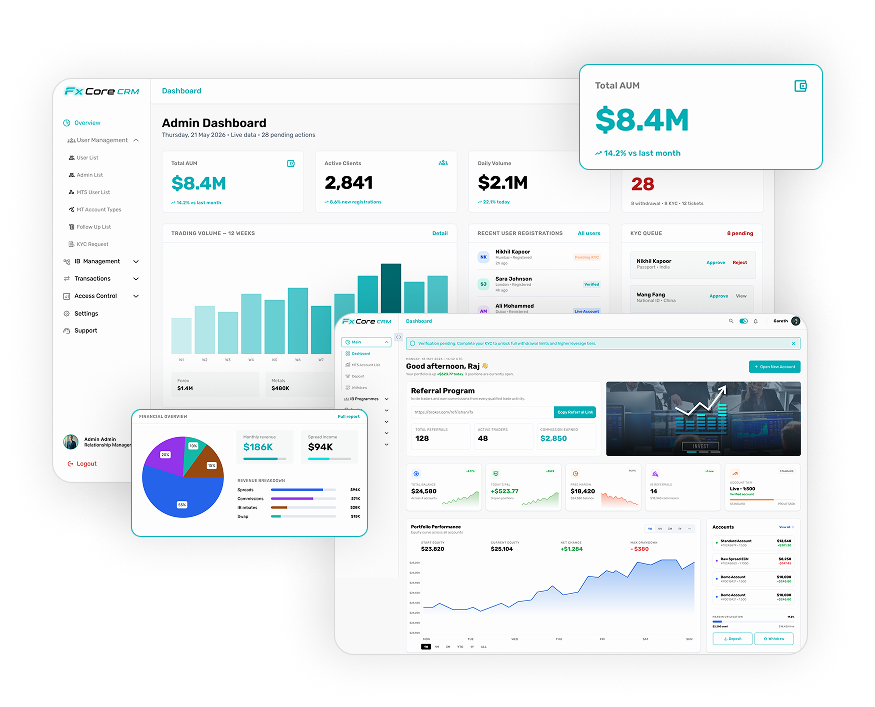
Photo: Fxcorecrm / CC0, via Wikimedia Commons.