If you’re sending the exact same email to every person on your list, you’re leaving a lot on the table. A new subscriber exploring your brand has completely different needs than a loyal repeat customer — yet many marketers treat them identically. That’s where email list segmentation comes in.
Segmentation means dividing your subscribers into smaller groups based on what they have in common, then tailoring your messages to each group. The payoff is real: people engage more with emails that feel relevant to where they are and what they care about. This guide walks you through the core segmentation types, a practical step-by-step process, and the most common mistakes to avoid.
Quick Answer
Email list segmentation is the practice of splitting your subscriber list into smaller groups — based on demographics, behavior, purchase history, engagement level, or lifecycle stage — and sending each group messages tailored to their specific context. Instead of one-size-fits-all blasts, you send the right message to the right person at the right moment, which drives higher open rates, more clicks, and fewer unsubscribes.
The Main Types of Email Segmentation
Demographic segmentation groups subscribers by characteristics like age, gender, location, job title, or income level — data you typically collect at signup or checkout. It’s the most common starting point and works well when your product or offer genuinely differs by audience profile.
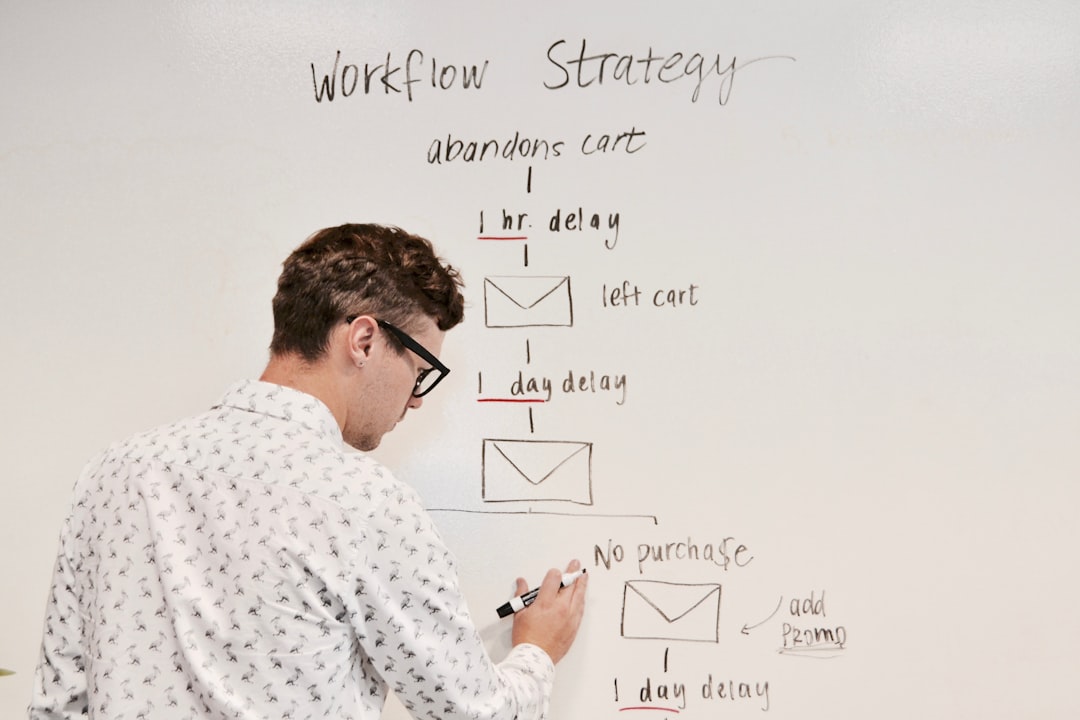
Behavioral segmentation is often the highest-impact type. It groups people by what they actually do: products they’ve browsed, items left in a cart, purchases made, links they’ve clicked, or how frequently they buy. Behavioral data tells you what a subscriber wants right now, not just who they are.
Psychographic segmentation goes deeper, grouping subscribers by interests, values, lifestyle, and stated preferences. You collect this through preference centers, post-purchase surveys, or quiz funnels. It’s more effort to set up, but it lets you speak to motivations, not just behaviors.
Lifecycle stage segmentation tracks where someone is in their relationship with your brand: brand-new subscriber, first-time buyer, loyal repeat customer, or someone who hasn’t engaged in months. Each stage calls for a fundamentally different message — a welcome series, a first-purchase incentive, a loyalty reward, or a re-engagement campaign.
Engagement-based segmentation separates active subscribers (those who’ve opened or clicked recently) from disengaged ones. This is especially important for deliverability: sending primarily to engaged contacts protects your sender reputation and keeps your emails out of spam folders. With Apple’s Mail Privacy Protection inflating open rates, use click-through activity as your primary engagement signal rather than opens alone.
How to Segment Your Email List: A Step-by-Step Process
Step 1 — Audit your existing data. Before building any segments, find out what subscriber data you actually have. Check your email platform, CRM, and ecommerce system. Common available fields include location, signup source, purchase history, and engagement history. Knowing what you have prevents you from designing segments you can’t fill.
Step 2 — Start with two or three high-impact segments, not twenty. Trying to build a complex segmentation system from day one is a common trap. Pick the segments most likely to move the needle for your specific business. For ecommerce, that’s often active vs. lapsed customers and cart abandoners. For SaaS or services, it might be free-trial users vs. paid subscribers vs. churned accounts.
Step 3 — Collect the data you’re missing. If your signup form only asks for an email address, you’re limiting yourself. Add a single optional field for interest area, industry, or location. Use a preference center so subscribers can self-select the content types and frequency they want. Run a short survey to existing subscribers to fill in psychographic gaps. The key is collecting data progressively, not all at once.
Step 4 — Build the segments in your email platform. Tools like Mailchimp, Omnisend, Klaviyo, and ActiveCampaign all support conditional filters and dynamic segment rules. Set up filters based on the criteria you’ve chosen — for example, ‘purchased in the last 90 days AND clicked a product link’ — and let the platform auto-update membership as subscriber behavior changes.
Step 5 — Write targeted content for each segment, then measure. Tailored subject lines, personalized offers, and content that speaks to each group’s specific situation are what make segmentation pay off. After a few send cycles, compare click-through rates and conversion rates across segments. Double down on what’s working and refine or retire what isn’t.
Tips and Common Mistakes
Don’t overcomplicate it early. Marketers new to segmentation sometimes create so many micro-segments that managing them becomes a full-time job. Start simple — even splitting your list into engaged and unengaged contacts is a meaningful improvement over no segmentation at all.
Refresh your segments regularly. Subscriber data decays: people change jobs, move, or stop caring about topics they once loved. Build a habit of auditing your segments quarterly and removing contacts whose data no longer matches the criteria. Stale segments produce misleading performance data and can hurt deliverability.
Layer signals for precision. The most effective segments combine more than one data point — for example, location plus purchase category, or lifecycle stage plus engagement level. A segment of ‘repeat buyers in the Northeast who’ve clicked on sale emails’ is far more actionable than ‘repeat buyers’ alone.
Use a preference center to let subscribers guide you. When people can choose their own content interests and email frequency, you get better psychographic data and they feel more in control — which reduces unsubscribes. Most major email platforms support preference centers with minimal setup.
Don’t treat segmentation as a one-and-done task. Your customer base evolves, new products launch, and seasonal patterns shift. The most effective email marketers revisit their segmentation strategy at least every quarter and adjust segments to reflect what’s actually happening in the business.
Explore more: More Marketing Strategies.
email list segmentation FAQs
What’s the easiest way to start segmenting my email list if I have no data beyond email addresses?
Start by adding a single optional question to your signup form — something like preferred topic, industry, or location. At the same time, use your platform’s built-in engagement tracking to split your existing list into active subscribers (opened or clicked in the last 60–90 days) and inactive ones. Those two segments alone let you immediately send more relevant campaigns and protect your deliverability.
Which email platforms support list segmentation?
Most major platforms do, including Mailchimp, Klaviyo, Omnisend, ActiveCampaign, ConvertKit (now Kit), and HubSpot. They differ in how sophisticated their segmentation filters are and whether segments update dynamically. Klaviyo and Omnisend are particularly strong for ecommerce behavioral segmentation; ActiveCampaign and HubSpot excel for B2B and CRM-integrated workflows. Choose based on where your key customer data lives.
How often should I update my email segments?
For dynamic segments tied to behavior (engagement, purchase history, cart activity), your platform should update them automatically as subscribers act. For manually defined segments based on static criteria, audit them at least quarterly. Check whether the underlying data is still accurate, whether the segment size has shifted significantly, and whether the content you’re sending each group is still relevant to where those subscribers are today.
Turn Customers Into Your Growth Engine
Launch a referral program that turns happy customers into your best growth channel — with ReferralEarl. Try ReferralEarl.
Photo by Campaign Creators on Unsplash.